Choose wisely! You can expect the correct answer, the explanation and an exciting story.
A Real Key: The 1980s Answer to Pressing “Win+L”
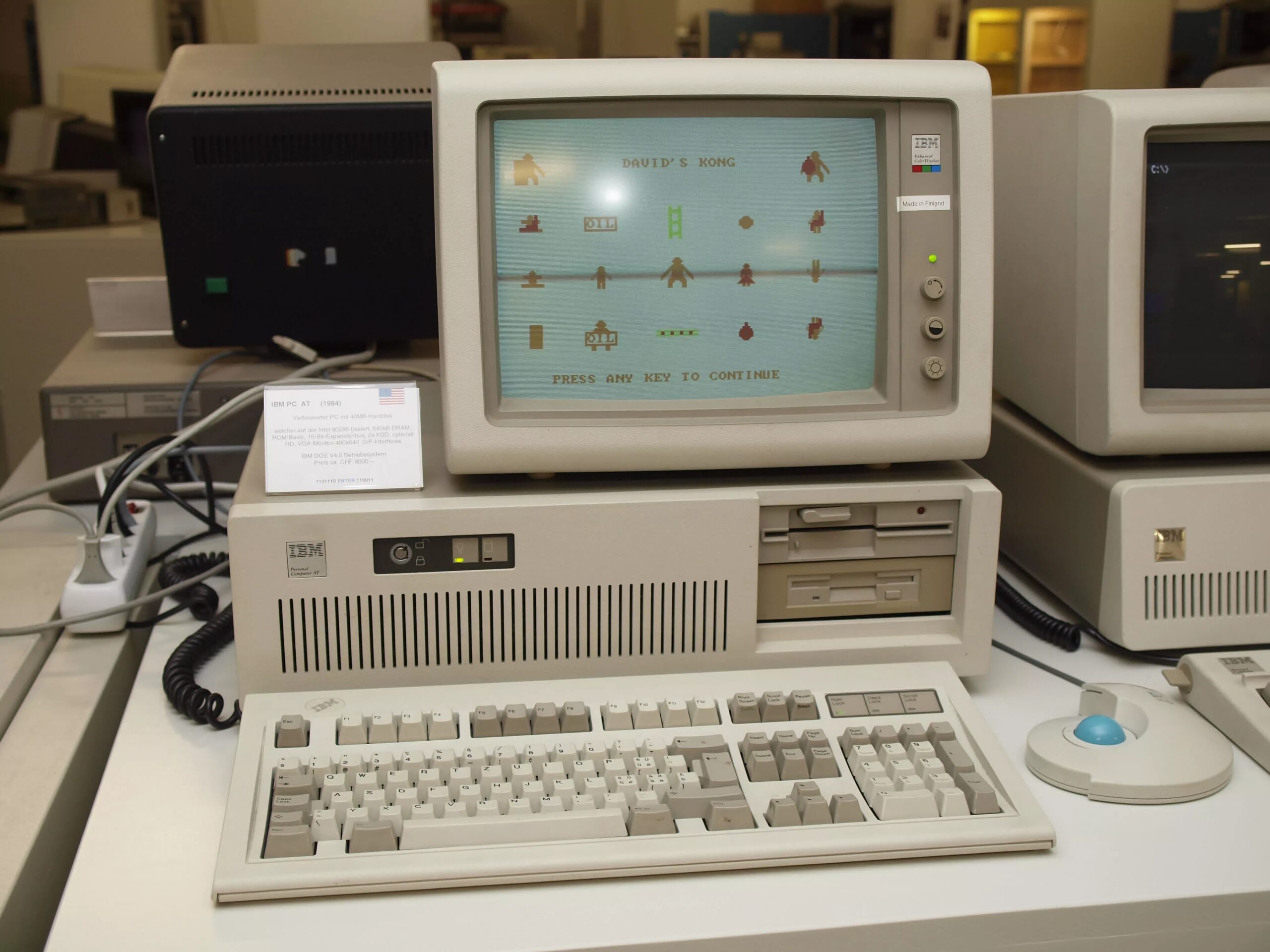
If you’ve ever cracked open a beige 386 or 486 tower, you may remember a keyhole on the front, usually located near the turbo and reset buttons. IBM called it “Keylock.” When the key is set to “locked,” the PC stops listening to the keyboard. It was a physical password.
The reason for its existence is explained by the software of the time. Early IBM-compatible PCs ran MS-DOS, a single-user system with no accounts and no passwords. Anyone sitting at your desk could browse (or delete) your files with the press of a button.
IBM had already used keypad locks on its mainframes and servers and brought the idea to the IBM PC AT (Model 5170) in 1984, an expensive 286-based machine that cost thousands of dollars (over $12,500 today). The AT came with a tubular pin lock, similar to the “Ace” locks found on vending machines, pinball tables, and alarm panels. PC Magazine described it as a way for executives to sleep at night.
On this IBM, the lock did several things: It blocked the keyboard at the controller level, preventing the software from working around the problem. When the device was turned on while locked, the BIOS self-test paused and a metal part inside the case moved into place to prevent the cover from being removed. IBM also sold a separate “keylock option” for the original PC and XT that went even further and prevented the machine from turning on at all.
Compatibility was the selling point of PC clones, so clone makers copied the feature, but not faithfully. Most only had the keyboard disabled, and the case locking part was reserved for high-end systems. Implementations varied by manufacturer, with some locks cutting power or the hard drive instead. In some cases, budget builders omitted wiring altogether, leaving the lock for purely decorative purposes.
The key lock is a fleeting memory these days. Along with the Turbo button, it disappeared in the early to mid-90s when passwords came into the software. Windows NT, NetWare, and Linux had real user accounts, Windows 95 had profiles (though not real security), and BIOS passwords became a common feature.
The idea of the physical lock lives on in cable locks like Kensington’s, in the lockable front panels of servers, and in the keyboard shortcut you now use to lock your screen.